
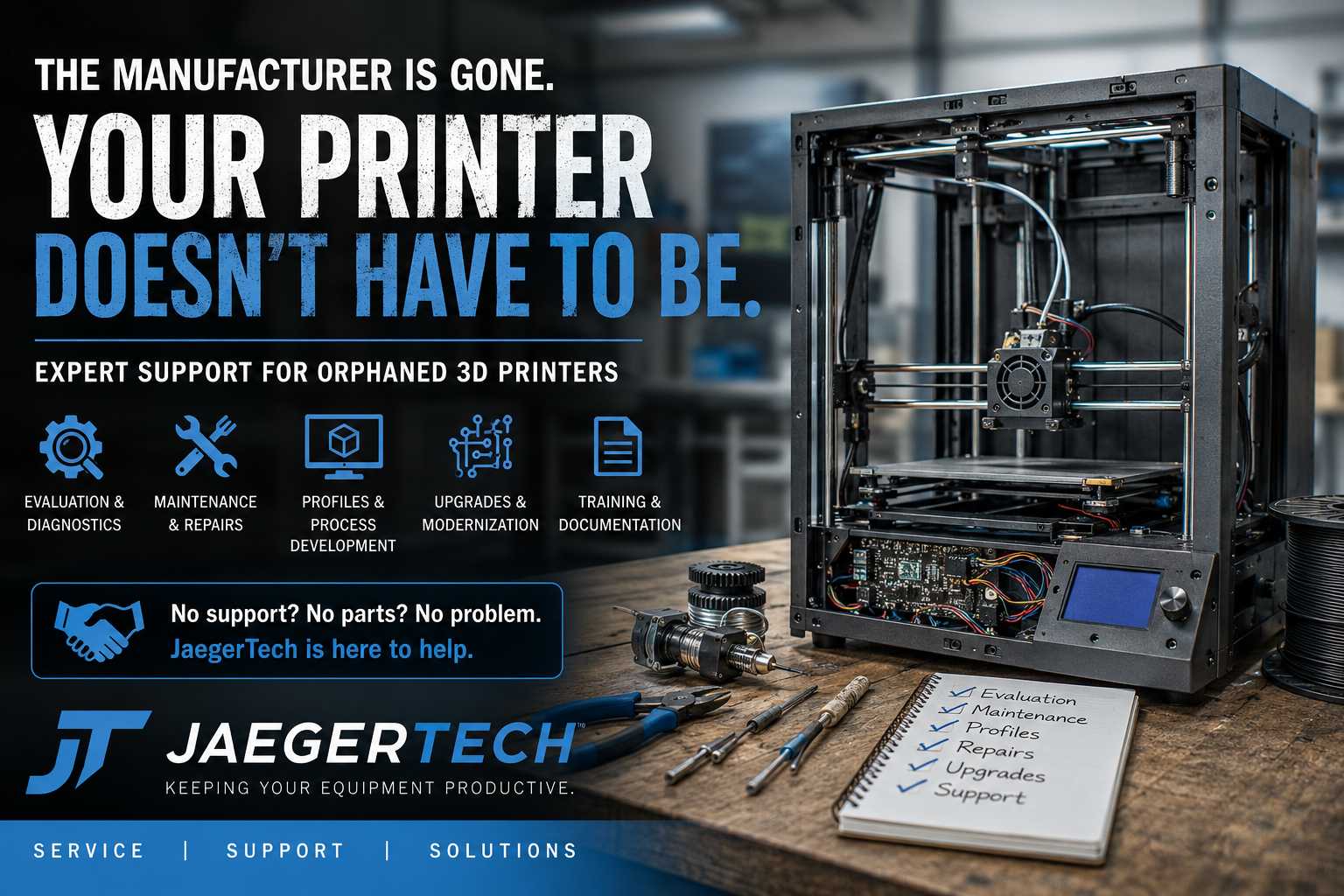
When the Manufacturer Disappears: Support for Orphaned 3D Printers
Industrial 3D printers are often purchased with the expectation that they will remain productive for many years. Unlike inexpensive consumer electronics, a commercial additive manufacturing system may represent an investment of thousands, tens of thousands, or even hundreds of thousands of dollars.
Unfortunately, the company that built the machine may not last as long as the machine itself.
The additive manufacturing industry has experienced repeated cycles of rapid growth, consolidation, acquisition, restructuring, and business closure. Some manufacturers have ceased operations entirely. Others have discontinued product lines, stopped supporting older machines, changed ownership, or shifted their focus to newer platforms.
When this happens, owners are often left with what might be called an orphaned 3D printer.
The printer may still be mechanically sound. Its motion system may remain accurate. The frame, motors, heaters, electronics, and other major components may have years of useful life remaining. However, the original manufacturer may no longer be available to answer questions, provide replacement parts, update software, supply print profiles, or dispatch a service technician.
If you are looking for support and no longer have a manufacturer to contact, JaegerTech would love to help.
What Is an Orphaned 3D Printer?
An orphaned 3D printer is a machine that no longer receives meaningful support from its original manufacturer.
This can occur for several reasons:
- The manufacturer has gone out of business.
- The company was acquired and the product line was discontinued.
- The manufacturer still exists but no longer supports older equipment.
- Proprietary replacement parts are no longer available.
- The original software or slicer is obsolete.
- Service contracts have ended or are no longer offered.
- The manufacturer has stopped responding to service requests.
- The local reseller or distributor is no longer operating.
- Technical knowledge has left the company with former employees.
In some cases, the printer is only a few years old. In others, it may be an older industrial platform that has continued operating reliably long after the original warranty expired.
Regardless of age, the result is often the same. The owner has a valuable piece of equipment but no clear path for keeping it productive.
A Closed Manufacturer Does Not Necessarily Mean a Dead Printer
One of the most frustrating aspects of an orphaned machine is that the printer itself may not be fundamentally broken.
Many industrial and professional 3D printers are constructed from recognizable mechanical and electrical components. They may use standard stepper motors, linear rails, bearings, belts, heaters, thermistors, power supplies, limit switches, fans, and motion-control hardware.
The challenge is identifying those components, understanding how the machine was originally configured, and determining which parts can be repaired, replaced, adapted, or upgraded.
A failed hotend does not necessarily condemn the entire printer.
A damaged controller board does not automatically mean the frame and motion system are obsolete.
A missing slicer profile does not make a capable printer unusable.
A proprietary touchscreen failure does not always require replacing the whole machine.
With proper evaluation, many orphaned printers can be returned to service, modernized, or repurposed for a new application.
Common Problems With Unsupported 3D Printers
Owners of unsupported machines commonly encounter several categories of problems.
Missing or Outdated Print Profiles
The printer may still move, heat, and extrude, but nobody has a working slicer profile.
This becomes especially common when an older proprietary slicer is no longer available, cannot run on a modern operating system, or does not support current materials.
A usable profile must account for more than build volume. It may include:
- Machine dimensions
- Origin location
- Homing behavior
- Start and end G-code
- Extruder configuration
- Nozzle diameter
- Retraction behavior
- Maximum temperatures
- Acceleration and speed limitations
- Cooling settings
- Material flow rates
- Bed leveling routines
- Tool-change behavior
- Firmware-specific commands
JaegerTech can help evaluate the printer and develop or refine profiles for modern slicing platforms when the machine and controller are compatible.
Mechanical Wear and Deferred Maintenance
A printer may have accumulated thousands of operating hours without a structured maintenance program.
Common mechanical issues include:
- Worn belts
- Damaged bearings
- Loose pulleys
- Contaminated linear rails
- Bent lead screws
- Loose fasteners
- Worn bushings
- Misaligned gantries
- Damaged cable carriers
- Cracked printed components
- Worn extruder gears
- Failed fans
- Loose electrical terminals
- Damaged build surfaces
These issues often develop gradually. Print quality declines, dimensional accuracy becomes inconsistent, extrusion becomes unreliable, or failures begin occurring intermittently.
A full mechanical inspection can identify the difference between a simple maintenance issue and a more serious system problem.
Proprietary Hotends and Extruders
Proprietary extrusion systems are among the most common challenges with orphaned printers.
The original hotend may no longer be manufactured. Replacement nozzles may be difficult to obtain. Heater cartridges or temperature sensors may use unusual dimensions or electrical specifications. The extruder may depend on custom gears, housings, or mounting geometry.
In these cases, it may be possible to:
- Rebuild the original assembly
- Machine or print replacement components
- Adapt a commercially available hotend
- Install a new extruder
- Redesign the carriage
- Update wiring and connectors
- Modify firmware settings
- Develop new profiles for the replacement hardware
Any conversion must be approached carefully. Installing a new hotend is not simply a matter of attaching it to the carriage. The heater voltage, sensor type, thermal limits, mass, nozzle location, cooling airflow, firmware configuration, and mechanical clearances must all be considered.
Failed or Obsolete Electronics
Control electronics can become a major barrier when the manufacturer is no longer available.
A machine may have a damaged motherboard, obsolete touchscreen, failed motor driver, corrupted storage device, or unavailable proprietary interface.
Depending on the platform, possible solutions may include:
- Repairing wiring and connectors
- Replacing damaged power supplies
- Replacing motor drivers
- Installing modern controller hardware
- Converting the printer to open firmware
- Installing a replacement display
- Adding network or USB file transfer
- Reconfiguring heaters and sensors
- Rewiring emergency-stop and power circuits
- Documenting the updated electrical system
Controller conversions can extend the life of a machine considerably, but they require careful engineering. Travel limits, motor current, endstop logic, temperature protection, bed leveling, emergency controls, and heater behavior must all be validated before the machine is returned to production.
Unavailable Replacement Parts
Some owners assume that every replacement component must come from the original manufacturer. That is not always the case.
A machine may contain a mixture of custom parts and standard industrial components. Bearings, motors, sensors, switches, fans, belts, fasteners, heaters, and power supplies can sometimes be sourced through other channels.
Custom components may be reproduced through:
- FDM printing
- Resin printing
- CNC machining
- Sheet-metal fabrication
- Waterjet cutting
- Laser cutting
- Casting
- Reverse engineering
- Adapter plate design
The appropriate solution depends on the function of the part, operating temperature, mechanical load, accuracy requirements, and safety implications.
Services JaegerTech Can Provide
JaegerTech works with industrial 3D printing equipment, custom machinery, legacy systems, and modified platforms. Our goal is not simply to replace parts. It is to determine the most practical path toward making the equipment useful again.
Machine Evaluation
The first step is understanding the current condition of the printer.
An evaluation may include:
- Visual inspection
- Mechanical condition assessment
- Motion-system testing
- Electrical inspection
- Heater and sensor verification
- Extrusion-system inspection
- Firmware identification
- Controller identification
- Build-surface evaluation
- Test movement
- Test heating
- Test extrusion
- Review of available documentation
- Review of existing profiles and G-code
The evaluation helps determine whether the machine should be repaired, upgraded, converted, used for parts, or retired.
Preventive Maintenance
Preventive maintenance can reduce unexpected failures and improve print consistency.
Depending on the machine, maintenance may include:
- Cleaning and lubrication
- Belt inspection and tensioning
- Pulley and fastener inspection
- Extruder cleaning
- Nozzle replacement
- Hotend inspection
- Fan replacement
- Wiring inspection
- Terminal tightening
- Build-platform alignment
- Gantry alignment
- Lead-screw inspection
- Firmware and configuration backup
- Safety-system verification
- Test printing
For organizations operating multiple printers, JaegerTech can also help develop maintenance schedules, inspection forms, and service records.
Slicer Profiles and Process Development
A repaired machine is only useful if operators can produce reliable parts with it.
JaegerTech can assist with profiles for appropriate slicing platforms and materials. Profile development may include:
- PLA
- PETG
- ABS
- ASA
- TPU and flexible materials
- Nylon
- Carbon-fiber-filled materials
- Glass-fiber-filled materials
- Large-nozzle printing
- High-flow printing
- Application-specific materials
Profile development may also address dimensional compensation, support strategy, seam placement, surface finish, strength, print time, and reliability.
No single profile is ideal for every application. A production fixture, foundry pattern, flexible component, and visual prototype may require very different process settings, even when printed on the same machine.
Repairs and Component Replacement
JaegerTech can evaluate failures and determine whether damaged components can be repaired or replaced.
Possible service areas include:
- Hotends
- Extruders
- Nozzles
- Heater cartridges
- Temperature sensors
- Fans
- Belts
- Bearings
- Motors
- Endstops
- Wiring
- Power supplies
- Control boards
- Displays
- Build surfaces
- Motion components
- Cable management
- Enclosures
- Safety hardware
Availability and feasibility depend on the specific machine, but many systems have more repair options than their owners initially realize.
Upgrades and Modernization
Some older printers are mechanically strong but electronically outdated.
Modernization may improve:
- Reliability
- Serviceability
- Material compatibility
- File transfer
- User interface
- Slicer compatibility
- Replacement-part availability
- Temperature control
- Safety
- Print monitoring
- Motion control
- Documentation
An upgrade should have a clear business purpose. Adding expensive components to a machine with a damaged frame or severely worn motion system may not be economical. Conversely, installing modern controls on a rigid, accurate industrial frame can produce a highly capable machine at a fraction of the cost of purchasing a new system.
Operator Training
When a manufacturer disappears, operating knowledge often disappears with it.
Even after a machine is repaired, employees may not understand its startup procedure, shutdown procedure, material handling, calibration requirements, or maintenance needs.
JaegerTech can help create:
- Startup instructions
- Shutdown instructions
- Material-loading procedures
- Calibration procedures
- Maintenance checklists
- Troubleshooting guides
- Slicer workflows
- Safety instructions
- Operator training materials
- Machine-specific work instructions
Good documentation is especially valuable when multiple employees operate the printer or when staff turnover occurs.
Should You Repair, Upgrade, or Replace the Machine?
Not every orphaned printer should be saved.
A proper decision should consider:
- Mechanical condition
- Replacement-part availability
- Controller condition
- Proprietary dependencies
- Current production requirements
- Desired materials
- Required build volume
- Accuracy requirements
- Safety
- Cost of repair
- Cost of modernization
- Cost of replacement
- Availability of operator knowledge
- Expected future workload
In some cases, a basic repair and new profile are all that is required.
In others, the printer may benefit from a complete controller and extrusion-system conversion.
Occasionally, the most responsible recommendation is to retire the machine and apply the remaining components toward another system.
JaegerTech’s objective is to provide a realistic technical assessment, not to recommend an expensive rebuild when a replacement machine would make more sense.
Support for Individual Machines and Printer Fleets
Orphaned printers are found in many environments:
- Manufacturing facilities
- Universities
- Research laboratories
- Government facilities
- Makerspaces
- Schools
- Engineering departments
- Foundries
- Prototype shops
- Medical-device companies
- Service bureaus
- Product-development firms
Some organizations have a single unsupported printer. Others have an entire fleet of machines purchased from a manufacturer that no longer provides service.
For fleet owners, JaegerTech can help identify common failure points, standardize replacement components, consolidate slicer workflows, document configurations, and create a practical spare-parts strategy.
Standardization is often one of the best ways to reduce long-term support costs. If several machines can use the same controller, hotend, sensors, nozzles, fans, or maintenance procedures, future service becomes much easier.
Do Not Let a Useful Machine Become Scrap
The disappearance of a manufacturer can make an otherwise capable printer feel worthless. Without documentation, software, profiles, replacement parts, or technical support, even a minor failure may bring production to a stop.
However, many orphaned 3D printers can still provide years of useful service.
The key is determining what remains usable, what must be repaired, what should be upgraded, and whether the final result will meet the owner’s technical and economic requirements.
JaegerTech brings experience in industrial additive manufacturing, machine repair, control systems, custom fabrication, process development, foundry applications, prototyping, and specialized 3D printing platforms.
We understand that older machines do not always follow current standards. We also understand that the answer is not always found in a replacement-parts catalog.
Sometimes the solution requires reverse engineering, adapting available components, developing a new slicer profile, rebuilding an extrusion system, replacing obsolete electronics, or simply performing the maintenance that the machine has needed for years.
Contact JaegerTech for Orphaned 3D Printer Support
Are you looking for service and support but no longer have a manufacturer to contact?
Do you have a 3D printer that still has value but has become difficult to operate or maintain?
Are you missing profiles, documentation, replacement parts, or technical knowledge?
JaegerTech would be glad to discuss your equipment and help determine the most practical next step.
When contacting us, provide as much information as possible, including:
- Manufacturer and model
- Machine serial number
- Current location
- Description of the problem
- Photographs of the machine
- Photographs of damaged components
- Controller and electronics information
- Existing manuals
- Existing slicer profiles
- Error messages
- Previous repairs or modifications
- Materials you need to print
- Your intended application
Even when the original manufacturer is gone, your printer may not be finished.
It may simply need a new support team.
About the Author: jaegertechgroup.com

STAY IN THE LOOP
Subscribe to our free newsletter.
Leave A Comment
From Hesitation to Hands-On: Bringing Large-Format 3D Printing Into a Prosthetics and Orthotics Practice For many prosthetics and orthotics practitioners, the potential
Modernizing Large-Format 3D Printers Instead of Replacing Them One of the biggest advantages of open-source and openly serviceable 3D printers is that
How Large-Format 3D Printing Helped Validate a Production Mold in 9 Days When an energy company was preparing to invest in an
From 3D Scan to Perfect Fit: The Corvette Bumper Project Moves Forward A few weeks ago, we shared a project that demonstrated