
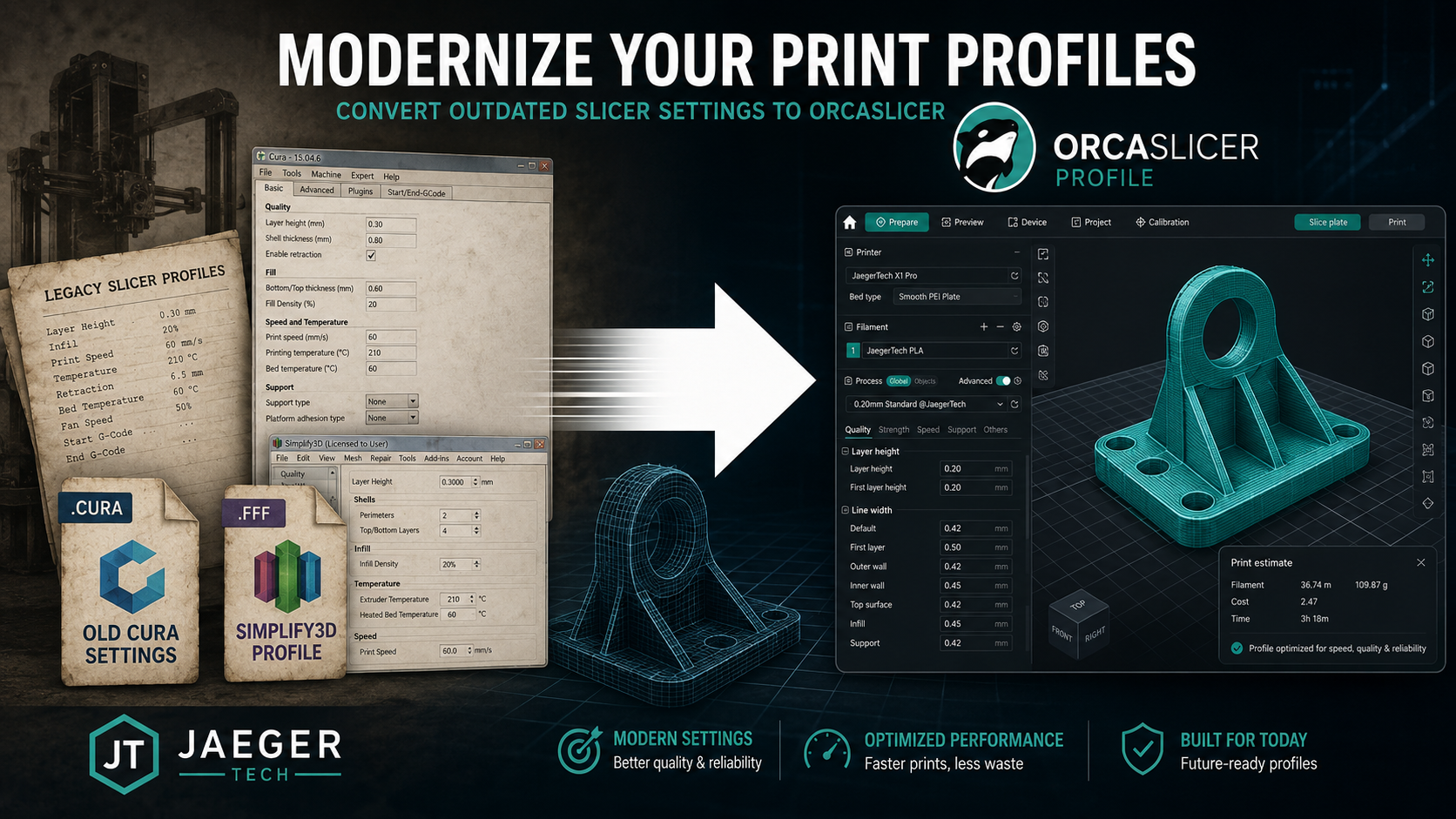
Still Using Cura or Simplify3D? JaegerTech Can Help Build an OrcaSlicer Profile for Your 3D Printer
A 3D printer does not become obsolete simply because its original slicer profile is outdated.
Many commercial, industrial, educational, and large-format 3D printers were originally configured for Cura, Simplify3D, Repetier-Host, MatterControl, or manufacturer-specific slicing software. In some cases, the printer manufacturer is no longer in business. In others, the original profile has not been updated in years, or the customer simply wants access to the newer calibration and workflow tools available in OrcaSlicer.
JaegerTech may be able to help convert your existing machine settings into a functional OrcaSlicer profile.
Whether you have an older Cura profile, Simplify3D factory file, machine manual, start and end G-code, or simply a collection of settings that once worked, we can evaluate that information and use it as the foundation for a modern OrcaSlicer configuration.
Why Move an Older Printer to OrcaSlicer?
Legacy slicing software may still produce usable files, but older platforms can become increasingly difficult to support.
Common problems include:
- Software that no longer receives meaningful updates
- Profiles that only exist on one aging computer
- Limited calibration tools
- Poor compatibility with modern operating systems
- Missing material presets
- Inconsistent documentation
- Proprietary machine configurations
- Lost start and end G-code
- Profiles that were never properly tuned
OrcaSlicer offers a more modern environment for managing printers, materials, and print processes. It also provides tools for tuning flow, pressure advance, temperature, retraction, dimensional accuracy, and other important printing variables.
However, adding an older or unsupported machine is not always as simple as selecting a printer from a menu.
The machine dimensions, firmware behavior, motion limits, extruder configuration, homing sequence, temperatures, and G-code commands all need to be correctly represented.
That is where an experienced technician can help.
What Information Can Be Recovered from an Old Profile?
An existing Cura or Simplify3D profile can contain valuable information about how the printer was originally intended to operate.
Depending on the file format and the condition of the profile, we may be able to recover or recreate settings such as:
- Build volume
- Bed shape and origin
- Maximum printable height
- Nozzle diameter
- Filament diameter
- Extruder count
- Retraction distance and speed
- Print speeds
- Travel speeds
- Acceleration limits
- Temperature ranges
- Cooling behavior
- Start G-code
- End G-code
- Tool-change commands
- Bed-heating commands
- Homing procedures
- Purge routines
- Machine-specific offsets
- Material settings
- Layer-height ranges
Simplify3D factory files can be especially useful because they may include machine settings, process settings, scripts, temperatures, speeds, and extrusion parameters in one package.
Cura profiles may provide similar information, although some settings can be divided between printer definitions, quality profiles, material profiles, and user preferences.
Even screenshots, printed setup sheets, archived emails, machine manuals, or old G-code files can provide useful clues.
Can Old Settings Be Copied Directly?
Not always.
Cura, Simplify3D, and OrcaSlicer organize and interpret settings differently. A value that works in one slicer may not translate directly into another.
For example, extrusion width, line width, flow percentage, retraction, acceleration, jerk, cooling, and support settings may be handled differently depending on the software and firmware.
Start and end G-code also require careful review.
A machine may use:
- Marlin
- Klipper
- RepRapFirmware
- Smoothieware
- A proprietary firmware variant
- A customized industrial controller
Commands that are appropriate for one machine can cause errors or unsafe movements on another.
For that reason, profile conversion should be treated as a technical reconstruction and validation process, not simply a copy-and-paste exercise.
JaegerTech’s Profile Development Process
Our process begins by gathering as much reliable information as possible about the printer.
This may include:
- Existing Cura profiles
- Simplify3D factory files
- Previous G-code files
- Machine manuals
- Firmware information
- Nozzle and extruder specifications
- Build-plate dimensions
- Photographs of the machine
- Material requirements
- Known-good print settings
- Examples of previous successful parts
We then create an initial machine definition and process profile in OrcaSlicer.
The first version may include:
- Machine dimensions and printable limits
- Correct bed origin and homing behavior
- Nozzle and filament configuration
- Start and end G-code
- Conservative motion limits
- Basic PLA, PETG, ABS, ASA, or other material settings
- Initial retraction and cooling values
- Safe default temperatures
- Recommended layer heights
- Appropriate volumetric-flow limits
The profile is then tested and refined.
Depending on the printer and the project, testing may include:
- Homing verification
- Bed-position verification
- Extrusion testing
- Temperature-tower testing
- Flow calibration
- Retraction testing
- First-layer calibration
- Dimensional test prints
- Speed validation
- Large-part testing
- Material-specific tuning
The objective is not simply to make the printer move. The objective is to produce a profile that is practical, repeatable, and appropriate for the machine.
Profiles for Industrial and Large-Format Printers
Large-format printers require additional consideration.
A machine with a 600 mm, 1,000 mm, or larger build platform cannot always use the same assumptions as a desktop printer.
Large machines may require:
- Lower acceleration
- Controlled travel speeds
- Longer heating times
- Specialized purge routines
- Reduced first-layer speeds
- Custom bed-mesh procedures
- Material-specific chamber settings
- Higher-flow hotend limits
- Large-nozzle process settings
- Longer retraction or pressure-control tuning
- Modified cooling strategies
Poorly configured profiles can lead to layer shifts, under-extrusion, excessive ringing, failed first layers, long print times, or damaged components.
JaegerTech has experience working with large-format, commercial, modified, and legacy 3D printers. We understand that the correct profile must reflect the physical capabilities and limitations of the machine.
What If the Manufacturer Is Gone?
This is becoming an increasingly common problem.
A printer may still be mechanically sound even when the manufacturer has closed, discontinued the product, or stopped providing technical support.
The machine may have:
- A proprietary hotend
- An unusual belt system
- A discontinued controller
- An obsolete slicer profile
- Missing documentation
- A locked or poorly documented configuration
- No current material profiles
In many cases, the machine can still be supported.
A new OrcaSlicer profile may be one part of a broader recovery plan that includes:
- Mechanical inspection
- Preventive maintenance
- Firmware review
- Controller upgrades
- Hotend replacement
- Extruder replacement
- Electrical repairs
- Calibration
- Replacement-part identification
- Documentation
- Operator training
The goal is to preserve useful equipment whenever doing so is technically and economically reasonable.
What We Need from You
To evaluate a profile-conversion project, send us whatever information you have.
Useful files and information include:
- Cura project or profile files
- Simplify3D factory files
- Existing G-code
- Printer model and serial number
- Firmware type and version
- Build-volume dimensions
- Nozzle sizes
- Filament diameter
- Extruder type
- Photos of the control screen
- Photos of the printhead
- Material types you intend to print
- Examples of known-good parts
- Notes about recurring print problems
Do not worry if the information is incomplete. In many cases, we can reconstruct missing values through inspection, testing, and controlled calibration.
A Modern Profile Can Extend the Life of an Older Printer
An older printer may still have strong mechanical construction, a large build volume, or capabilities that would be expensive to replace.
The problem may not be the machine itself. The problem may be that the original software environment, profile, or documentation has been lost.
JaegerTech can help evaluate your existing settings, translate what is usable, build an OrcaSlicer profile, and test the machine under real operating conditions.
Profiles may be developed remotely when sufficient documentation and working files are available. More complex systems may require the machine to be brought to our shop or evaluated on-site.
If you have a commercial, industrial, educational, or large-format 3D printer that is still running on an old Cura or Simplify3D profile, contact JaegerTech. We may be able to give that machine a more modern and supportable workflow without requiring you to replace otherwise useful equipment.
About the Author: jaegertechgroup.com

STAY IN THE LOOP
Subscribe to our free newsletter.
Leave A Comment
From Hesitation to Hands-On: Bringing Large-Format 3D Printing Into a Prosthetics and Orthotics Practice For many prosthetics and orthotics practitioners, the potential
Modernizing Large-Format 3D Printers Instead of Replacing Them One of the biggest advantages of open-source and openly serviceable 3D printers is that
How Large-Format 3D Printing Helped Validate a Production Mold in 9 Days When an energy company was preparing to invest in an
From 3D Scan to Perfect Fit: The Corvette Bumper Project Moves Forward A few weeks ago, we shared a project that demonstrated