
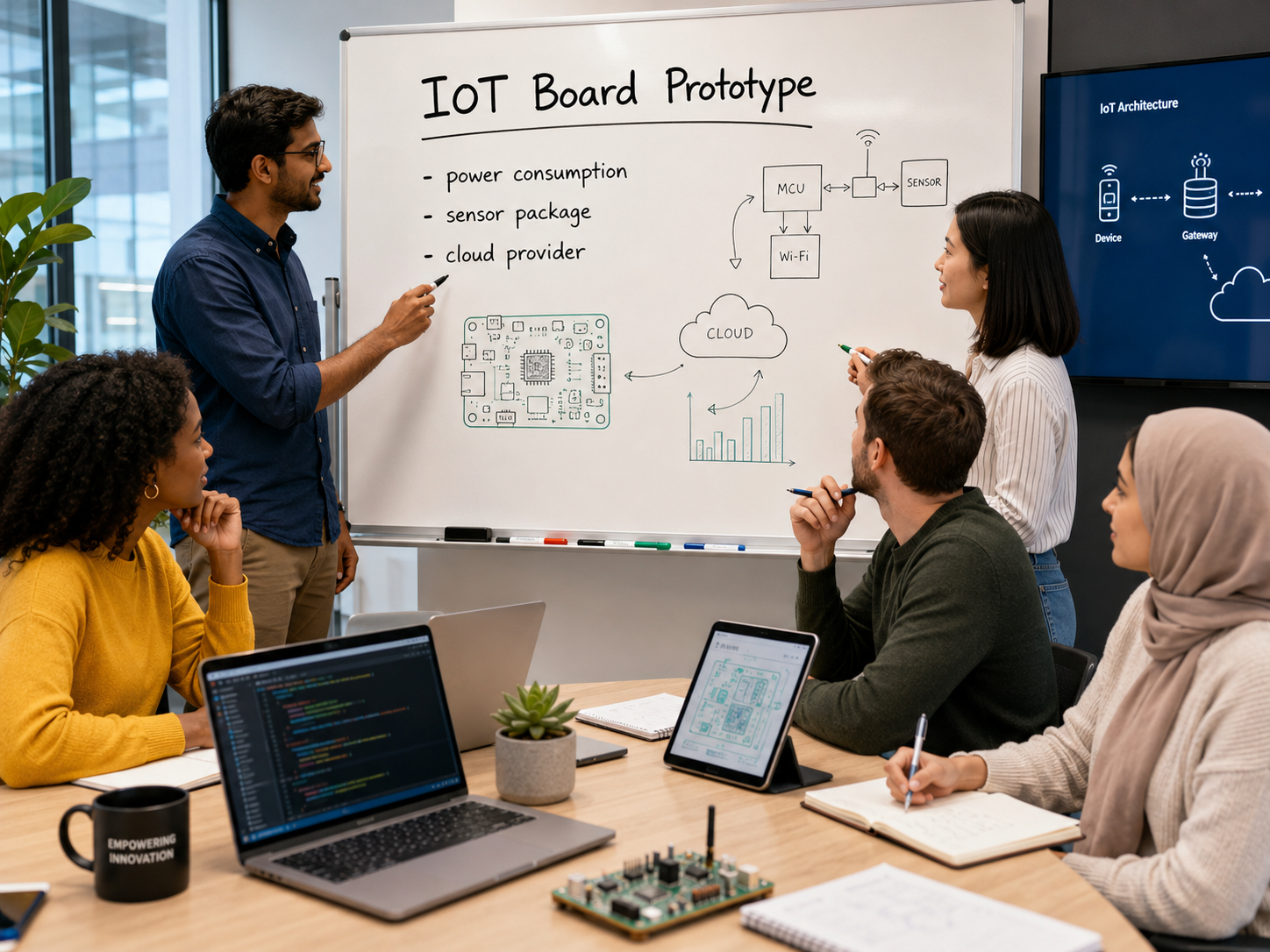
Using Development Boards in Early Hardware Prototypes
Other Parts of this series:
- Part 2 – Choosing The Right Development Board
- Part 3 – Choosing Sensor Packages
- Part 4 – Powering and Packaging Your Development Board
- Part 5 – Connectivity and Data Strategy
Putting Hardware Into Your Prototype: Part 1 of a Five-Part Series
A hardware prototype often begins with an idea for a mechanical product: a device that senses motion, records pressure, controls a motor, monitors equipment, communicates wirelessly, or interacts with a user.
At some point, that product needs electronics.
One of the first development questions is whether the prototype requires a custom printed circuit board, or whether an existing development board can provide the functionality needed to test the concept.
For many early-stage prototypes, a custom circuit board is not the best place to begin. Arduino-compatible boards, ESP32 development boards, Raspberry Pi computers, and similar platforms can often provide the processing, connectivity, input/output capability, and data collection required to prove that a product idea works.
These boards are not necessarily the final product. They are tools for reducing uncertainty.
A good prototype does not need to look exactly like the finished product on day one. It needs to answer the right questions:
- Can the product sense what it needs to sense?
- Can it control the required hardware?
- Can it collect useful information?
- Can the user interact with it effectively?
- Can it operate in the intended environment?
- Can the system eventually be manufactured at a reasonable cost?
A properly selected development board can help answer those questions before significant money is committed to custom electronics, tooling, certification testing, enclosure refinement, compliance planning, or production.
Choosing a Board Is Really an Architecture Decision
Choosing a development board is not primarily a brand decision. It is an electronics architecture decision.
Before selecting a board, the project team should identify:
- What the device must sense
- What it must control
- Whether timing and response must be predictable
- How it will be powered
- How it will communicate
- Whether it must save or transmit data
- Where it will be used
- What the prototype must prove
- What the eventual commercial product may require
A board should be selected because it supports the prototype’s functional requirements, not simply because it is popular or readily available.
This distinction becomes especially important when a project begins to combine sensors, actuators, displays, cloud connectivity, batteries, audio, or industrial equipment interfaces. At that point, the board is only one part of a much larger system.
What Is a Development Board?
A development board is a ready-made electronics platform built around a microcontroller, processor, or small computer. It generally provides convenient access to power, input and output pins, communications interfaces, programming connections, and expansion options for sensors or other components.
Common examples include:
- Arduino-compatible boards, commonly used for sensors, switches, lights, relays, actuators, and straightforward control functions.
- ESP32-class boards, which combine microcontroller functionality with built-in wireless capability, making them useful for connected sensor systems and Internet of Things prototypes.
- Raspberry Pi Pico-class boards, which are compact microcontroller platforms used for embedded control and sensor interaction.
- Raspberry Pi computers, which are small Linux-based computers suited for cameras, displays, networking, databases, audio, complex software, and more advanced user interfaces.
These categories are not interchangeable.
A small sensor device that reads temperature or motion and transmits the data wirelessly may be well suited to an ESP32. A device with a touchscreen, camera, local dashboard, audio processing, or complex networking may require a Raspberry Pi or another embedded computer. A fixture that detects switch positions and controls a few indicator lights may need only a simple microcontroller platform.
The correct board is the one that accomplishes the required job without introducing unnecessary complexity.
Microcontroller or Small Computer?
One of the most important early decisions is whether the prototype needs a microcontroller or a small computer.
Arduino-compatible boards, ESP32 boards, Raspberry Pi Pico boards, and similar platforms are generally microcontroller-based systems. They are well suited for direct interaction with physical hardware:
- Reading sensors
- Monitoring switches
- Controlling lights or relays
- Activating motors or valves through appropriate drivers
- Performing predictable control sequences
- Starting quickly when power is applied
- Operating with relatively low power requirements
A full Raspberry Pi is different. It is a small computer running an operating system. It is often more appropriate for:
- Cameras and image processing
- Touchscreens and graphical displays
- Web interfaces
- Local database storage
- Audio recording or playback
- Higher-level networking
- Advanced software libraries
- Complex data analysis or machine learning experimentation
More computing power is not automatically better.
A small microcontroller may be the better choice when a prototype needs predictable timing, low power consumption, direct control of hardware, or reliable startup behavior. A small computer may be the better choice when a project needs rich software capability, displays, cameras, network services, or complex data processing.
Some advanced prototypes use both: a microcontroller for physical control and sensor acquisition, and a small computer for user interface, communications, visualization, or higher-level analysis.
Why Use a Development Board Instead of a Custom Circuit Board?
A dedicated printed circuit board can eventually provide a smaller, cleaner, more repeatable, and more manufacturable electronic system. However, designing custom electronics introduces additional engineering work:
- Electronic architecture and schematic design
- Printed circuit board layout
- Component selection and sourcing
- Board fabrication and assembly
- Firmware development and debugging
- Power-management design
- Connector and wiring decisions
- Protection circuitry
- Electromagnetic compatibility considerations
- Safety and compliance planning
- Revision cycles as product requirements change
That work becomes appropriate once a product’s requirements are reasonably mature.
Early in development, however, the greatest risk is often not that the electronics are too large. The greater risk is discovering that the wrong sensors were selected, the required data cannot be collected reliably, the power system is impractical, the enclosure cannot accommodate the hardware, or the original product concept does not perform as expected.
Development boards allow a project team to build, test, revise, and learn before committing to a final electronic design.
For a project manager, investor, researcher, or customer, this can create measurable progress earlier in the development process. Instead of discussing what a future circuit board might accomplish, the team can begin testing what the product actually does.
Start by Defining the Goal: MVP or Product-Oriented Prototype?
Before selecting electronics, the project team should define what the prototype is intended to accomplish.
An MVP, or minimum viable product, is intended to demonstrate the most important function of a concept with the least unnecessary complexity. An MVP might prove that:
- A sensor can detect the intended event
- A mechanical system can be controlled electronically
- A device can collect useful test data
- A user can interact with the product in a meaningful way
- A connected system can transmit a basic measurement
A more advanced prototype may need to resemble the eventual product much more closely. It may require:
- A more durable enclosure
- Battery operation
- Wireless communication
- Multiple coordinated sensors
- Data logging
- User controls or displays
- Cloud connectivity
- More compact electronics packaging
- Repeatable operation outside a laboratory or workbench
- Documentation suitable for pilot testing, investment review, or customer evaluation
Neither approach is automatically better. The appropriate level of development depends on what decision the prototype is meant to support.
A research team seeking early feasibility data may be better served by a robust benchtop prototype with accessible wiring and easily replaceable sensors. A company preparing for pilot users may require a more integrated device that can withstand repeated handling and provide a credible product experience.
A common development mistake is trying to create a compact, polished, wireless, battery-powered, cloud-connected, nearly commercial product before validating the core function. This can consume budget quickly while making it more difficult to determine what is actually working.
The Questions That Determine the Bill of Materials
Selecting a development board is only one part of prototype planning. The actual bill of materials begins with a structured review of what the device must do, what it must connect to, how it will be powered, and where it will operate.
Will the Prototype Need Digital Inputs or Outputs?
Digital inputs and outputs represent simple on/off states.
A digital input may detect:
- A button press
- A door opening or closing
- A limit switch being reached
- A safety interlock condition
- A touch signal
- A simple motion or presence event
A digital output may control:
- An indicator light
- A relay
- A buzzer
- A solenoid
- A motor-enable signal
- An alarm condition
These requirements affect more than the number of available pins on the board. They can also determine wiring, connectors, voltage levels, protective components, enclosure layout, and power-supply requirements.
A board may be capable of sending a control signal, but that does not mean it can safely power the equipment being controlled. Motors, solenoids, heaters, pumps, larger lighting systems, and similar devices commonly require separate drivers, switching components, protective circuits, and appropriate power supplies.
Will the Prototype Need Analog Inputs or Outputs?
Analog measurements are required when a product must evaluate a variable value rather than a simple on/off condition.
Examples include:
- Force or pressure measurements
- Temperature readings
- Strain gauges
- Potentiometers
- Battery-voltage monitoring
- Light-intensity measurement
- Airflow or fluid measurement
- Certain laboratory or biomedical signals
Not all development boards provide the same analog capability. A board may technically be able to read an analog sensor while still being unsuitable for accurate or repeatable engineering measurements. Some projects require external analog-to-digital converters, signal conditioning, amplification, filtering, or calibration procedures.
This becomes especially important when the collected data will be used to support research conclusions, product decisions, operating decisions, or customer-facing performance claims.
A prototype that produces numbers is not automatically a validated measurement system. If data quality matters, accuracy, resolution, calibration, sampling rate, sensor mounting, and data integrity must be considered early.
Will the Prototype Use LEDs, Displays, Motors, Speakers, or Microphones?
A development board is often the control center of a prototype, but it is not necessarily the power source for everything connected to it.
LEDs, Displays, Motors, and Other Loads
A board may easily control a small indicator LED. It may also send control signals to a display, motor driver, relay, pump, valve, heater, or lighting system. However, higher-power devices often require their own electrical design considerations, including:
- Separate power supplies
- Voltage regulation
- Motor or actuator drivers
- Transistors, relays, or switching modules
- Fuses or protective devices
- Heat management
- Emergency shutoff considerations
A prototype that operates briefly on a workbench but fails during prolonged operation may have a power-distribution or thermal-management problem rather than a programming problem.
Speakers and Microphones
Audio capability can range from very simple to surprisingly complex.
A prototype might require:
- A buzzer for a basic alert
- Recorded voice prompts
- A speaker for user feedback
- A microphone for data collection
- Voice commands
- Two-way communication
- Noise filtering
- Multiple microphones or a directional microphone array
A simple alarm tone is very different from a system expected to understand spoken commands in a factory, vehicle, laboratory, or outdoor environment.
If audio is part of the product, the design team should consider how the user will interact with it, what background noise may be present, whether the product needs audio storage or processing, and whether privacy or data-security concerns exist.
What Sensors or Sensor Arrays Will Be Needed?
Many prototypes are fundamentally sensor systems. A product may rely on one simple input or on a coordinated array of sensors.
Possible examples include:
- Temperature and humidity sensors
- Motion, vibration, tilt, or orientation sensors
- Pressure, flow, or force sensors
- Light, proximity, distance, or imaging sensors
- Touch or capacitive-contact sensors
- Gas, chemical, or environmental sensors
- Location modules
- Medical, biological, or laboratory measurement sensors
Every sensor adds questions:
- What information will this sensor provide?
- How accurate does that information need to be?
- How frequently must it be sampled?
- Does it require calibration?
- How will it be mounted?
- Will temperature, vibration, moisture, movement, or contamination affect it?
- Will the data be useful for making a development decision?
A sensor should not be added simply because it sounds useful. It should be included because the resulting information supports a specific function, measurement, test objective, or product decision.
Are the Sensors Onboard or Remote?
Sensor location can substantially change the electronics architecture.
An onboard sensor installed within the main product enclosure may simplify wiring and improve portability. A remote sensor may be necessary when measurements occur away from the controller, on a moving component, inside equipment, in a harsh environment, or in a location where size, temperature, or access is constrained.
Remote sensors may require:
- Longer cables
- Wireless communication
- Durable connectors
- Signal conditioning
- Shielding against electrical noise
- Replaceable sensor modules
- Calibration procedures
- Environmental protection
- Methods for identifying disconnected or damaged sensors
This is particularly important in industrial, agricultural, laboratory, medical-development, and field-use products, where poor sensor placement can make otherwise functional electronics produce misleading information.
How Will the Development Board Be Powered?
Development boards generally operate on low-voltage direct-current power. The fact that they are low voltage does not mean that the power architecture is unimportant.
A prototype may be powered through:
- A USB connection during early bench testing
- A wall-mounted AC/DC power adapter, often called a wall wart
- Replaceable batteries
- A rechargeable battery pack
- A dedicated DC rail inside a machine or larger system
- A vehicle or mobile-equipment electrical system
- A later custom power-management circuit
Each option introduces additional considerations.
Wall-Powered Prototypes
A wall-powered indoor prototype may be appropriate for benchtop testing, fixed monitoring systems, displays, laboratory equipment, or devices intended to remain in one location.
Even a wall-powered prototype requires decisions regarding:
- Correct input voltage
- Available current
- Cable routing
- Connector reliability
- Strain relief
- Enclosure access
- Electrical protection
- Whether the power adapter is appropriate for the eventual application
Battery-Powered Prototypes
Battery power introduces a different set of design requirements:
- Required operating time between charges
- Battery size and enclosure volume
- Charging method
- Battery-state monitoring
- Protection against overcharge, over-discharge, or short circuits
- Whether wireless communication, displays, lights, or audio reduce battery life excessively
- How the product behaves as battery voltage declines
- Whether batteries will be user replaceable or permanently installed
A prototype powered by USB on a workbench may validate software and basic electronics, but it does not prove that a portable battery-powered version will operate reliably.
Dedicated DC Rails and Equipment Power
A prototype installed inside industrial equipment, machinery, vehicles, or mobile systems may receive power from an existing DC source.
That source may be electrically noisy, subject to voltage fluctuations, or capable of delivering enough current to damage inadequately protected electronics. Such systems may require:
- Voltage regulation
- Isolation
- Fusing
- Reverse-polarity protection
- Transient suppression
- Grounding strategy
- Locking connectors
- Protection from incorrect installation
Power selection is not a detail to be postponed until the end of the prototype. It is part of determining whether the product can operate in its intended environment.
Where Will the Electronics Be Located?
Electronics do not operate in an abstract diagram. They operate inside enclosures, on walls, in equipment cabinets, outdoors, on mobile systems, in laboratories, in factories, and in the hands of users.
Where the development board will ultimately be located affects nearly every part of the prototype.
Indoor or Benchtop Use
A board mounted inside an indoor benchtop prototype may require little more than:
- Basic enclosure protection
- Mechanical mounting
- Organized wiring
- Strain relief
- Accessible power and data connections
This may be entirely appropriate for early feasibility testing.
Wall-Mounted or Fixed Monitoring Systems
A wall-mounted device may need:
- A secure enclosure
- Reliable mounting hardware
- Cable-entry points
- Visible indicators or displays
- Access for service, software updates, or sensor replacement
- Adequate heat management
- Suitable power routing
Outdoor Use
An outdoor device may require:
- Protection against rain, dust, moisture, and condensation
- Resistance to ultraviolet exposure
- Sealed cable glands or connectors
- Temperature-range evaluation
- Drainage or venting strategies
- Corrosion-resistant mounting hardware
- Reliable outdoor power
- Consideration of wireless performance through the enclosure
Mobile or Field Use
A mobile product may require:
- Battery operation or mobile power input
- Resistance to shock and vibration
- Secure wiring and connector retention
- Reduced weight and size
- Drop resistance
- Protection from handling damage
- Consideration of movement-related effects on sensors
Industrial Equipment or Shop-Floor Use
A prototype used around production equipment may be exposed to:
- Vibration
- Electrical noise
- Dirt, dust, oil, or coolant
- Moisture
- Impacts
- Cleaning chemicals
- Maintenance practices not seen during bench testing
The first prototype may still be assembled on a workbench. However, identifying the eventual operating environment early helps ensure that the prototype is answering commercially meaningful questions.
Will Data Be Saved Locally, Sent to the Cloud, or Both?
Data handling is often treated as a software issue, but it directly affects the hardware platform, power system, communications strategy, and development budget.
A prototype may:
- Store data on a memory card
- Save limited information in onboard memory
- Stream data to a connected computer
- Upload data over Wi-Fi
- Communicate by Bluetooth with a mobile device
- Send data through cellular service
- Report to a cloud dashboard
- Operate offline and synchronize later
Local storage may be appropriate for controlled testing, laboratory work, industrial trials, or field use where internet access is uncertain.
Cloud storage may make remote monitoring, collaboration, equipment tracking, visualization, and long-term reporting easier.
Some systems require both. For example, a monitoring device may need to save data locally during a network outage, then upload records once communication is restored.
The project team should determine:
- What information needs to be collected?
- How long must it be stored?
- Who needs access to it?
- What happens if communication is lost?
- Is the information sensitive?
- Is the data intended only for prototype evaluation, or will it support engineering, research, operational, or customer decisions?
Those questions affect the board, storage method, communications system, cybersecurity exposure, battery life, software workload, and eventual product-support requirements.
IoT and IIoT Connectivity Must Serve a Purpose
Internet of Things connectivity can be valuable when a device needs remote monitoring, notifications, user dashboards, software updates, or communication with other systems.
Industrial Internet of Things applications often introduce additional responsibilities. An industrial device may operate near production equipment, maintenance personnel, proprietary processes, customer facilities, or safety-related systems.
A connected prototype should therefore answer practical questions:
- What information needs to be transmitted?
- Who needs access to that information?
- Does the device need to operate without a network?
- What happens if communication fails?
- Is remote control truly needed, or is remote reporting sufficient?
- How will the device be secured and maintained?
- Will connectivity increase battery or power requirements?
Not every connected product communicates through Wi-Fi or Bluetooth. Depending on the intended application, a prototype may require cellular communication, Ethernet, serial interfaces, RS-485/Modbus, CAN bus, or another established industrial communication method.
Adding wireless communication to a development board can be straightforward. Designing a connected product that is reliable, maintainable, appropriately secure, and compatible with its operating environment is a much larger task.
What Happens When the Prototype Fails?
When a prototype begins controlling physical hardware, failure behavior becomes part of the product design.
A device may lose power. A battery may become depleted. A sensor may disconnect. A network may go offline. A program may freeze. A controller may unexpectedly restart. An output may remain active when it should have turned off.
For a basic indicator device, these conditions may be minor inconveniences. For a system controlling motion, heat, fluid flow, pressure, equipment, alarms, or safety-related functions, they may be much more significant.
Even during early development, the project team should identify whether the system will eventually require:
- Safe startup and shutdown behavior
- Sensor-disconnection detection
- Manual overrides
- Interlocks
- Watchdog functions
- Audible or visual alarms
- Data-loss protection
- A safe condition when communications fail
A prototype does not need to solve every commercial safety question in its first revision. However, it should not create a development path that ignores foreseeable failure conditions.
Keep the Prototype Achievable Through Phased Development
One of the most common prototype mistakes is trying to accomplish every goal in the first version.
A product may eventually require sensors, wireless connectivity, cloud storage, mobile applications, batteries, displays, audio, compact packaging, environmental sealing, and custom electronics. That does not mean all of those capabilities should be developed at once.
A phased approach makes progress easier to evaluate and reduces the risk of spending significant budget on unproven requirements.
Phase 1: Prove the Core Function
Use a readily available development board and the minimum number of sensors, inputs, outputs, or actuators needed to determine whether the fundamental concept works.
At this stage, the prototype may operate from USB power or a benchtop supply. It may use an oversized temporary enclosure or visible wiring. The objective is not commercial appearance. The objective is functional proof.
Phase 2: Collect and Evaluate Useful Data
Add the data logging, repeatable testing, calibration methods, and additional sensors required to evaluate performance.
This phase helps determine whether the device produces meaningful information rather than simply operating during a demonstration.
Phase 3: Add Practical Deployment Features
Once the core device performs its intended function, add the features that support use outside the original test setup:
- Wireless or wired communication
- Local or cloud data storage
- Battery operation or dedicated power
- User controls or displays
- Audio feedback
- More durable electronics packaging
- Environmental protection
- Mounting and cable-management provisions
This is often where the project begins to resemble a practical product rather than an engineering experiment.
Phase 4: Integrate Toward Manufacturing
Once requirements are supported by testing, the team can evaluate:
- Dedicated printed circuit boards
- Production-oriented enclosures
- Finalized power systems
- Component sourcing
- Assembly methods
- Environmental testing
- Compliance requirements
- Production costs
- Service and maintenance considerations
Phased development keeps each success measurable and makes the final bill of materials more accurate because it is based on validated requirements rather than assumptions.
When Does a Development Board Become Dedicated Electronics?
Development boards are valuable because they allow teams to learn quickly. They are not always the best architecture for a finished commercial product.
An early prototype may contain jumper wires, oversized connectors, separate sensor modules, USB power, memory-card modules, adapter boards, and off-the-shelf communications hardware. This can be entirely appropriate when proving function or collecting early data.
A compact, repeatable, customer-facing commercial product will often need its processor, memory, power regulation, communications hardware, connectors, protective circuitry, and supporting components consolidated into a dedicated printed circuit board assembly.
A dedicated circuit board may provide:
- Smaller product size
- Reduced assembly labor
- More reliable wiring and connections
- Improved power management
- Better enclosure integration
- Lower per-unit cost at appropriate production volumes
- More repeatable manufacturing
- Better control over component selection and availability
- A clearer path toward compliance and product testing
There are exceptions. A low-volume industrial fixture, laboratory instrument, internal manufacturing tool, or specialized monitoring system may continue to use an off-the-shelf controller or embedded computer inside a suitable enclosure. In those cases, speed of deployment, serviceability, and limited production volume may matter more than miniaturization.
In other cases, the commercial transition may not require designing every electronic function from the ground up. A product developed around a small Linux computer may later use a production-oriented computing module mounted on a custom carrier board. This allows the project to retain a proven computing platform while integrating custom power, connectors, communications, sensors, and packaging.
The important point is that early development-board choices should help identify the electronic requirements of the final product rather than becoming an accidental permanent architecture.
Planning, designing, testing, and launching a dedicated printed circuit board is a significant development subject of its own. We will address that process in a future series.
A Good Prototype Creates Better Decisions
Using an Arduino-compatible board, ESP32, Raspberry Pi, or similar platform is not a shortcut in the negative sense. When selected carefully, it is a disciplined engineering decision.
Development boards allow teams to evaluate:
- Sensors and measurement methods
- Physical controls and outputs
- Data collection
- Connectivity
- Power requirements
- Audio and user interaction
- Mechanical packaging
- Environmental deployment
- Failure behavior
- The eventual path toward commercial electronics
The key is to select a platform according to what the prototype must prove:
- What must the product sense?
- What must it control?
- How accurate must its data be?
- How will it be powered?
- Where will it operate?
- How will users interact with it?
- How will it communicate?
- Where will its data go?
- What happens if part of the system fails?
- What functions can be deferred to a later development phase?
- What will ultimately need to change before commercialization?
A realistic, achievable prototype is usually more valuable than an overcomplicated one. Even when sufficient budget is available, technical scope should be managed carefully. Dividing product development into testable phases makes results easier to quantify, risks easier to identify, and later investment easier to justify.
JaegerTech Can Help Develop Practical Hardware Prototypes
At Jaeger Technology Group, we help customers move hardware ideas from concept toward functional, testable prototypes.
That process may involve:
- Mechanical design and 3D-printed housings
- Development-board integration
- Sensor selection and packaging
- Control and data-collection systems
- Power-planning considerations
- Connected prototype architecture
- Test fixtures and evaluation hardware
- Planning for later product development and manufacturing
Whether a project needs a simple sensor-enabled proof of concept or a more advanced connected prototype, the objective is the same: build something useful, collect meaningful information, and make the next engineering decision with greater confidence.
A prototype should not simply demonstrate that electronics can be added to a product. It should show what the product can realistically become.
About the Author: jaegertechgroup.com

STAY IN THE LOOP
Subscribe to our free newsletter.
Leave A Comment
Integrating a Tablet, Scanner, and Maintenance Hardware Into One Aerospace Field Tool In aerospace maintenance, the challenge is rarely just collecting information.

From 3D Scan to Perfect Fit: The Corvette Bumper Project Moves Forward A few weeks ago, we shared a project that demonstrated

Great Conversations and New Connections at SMD in Huntsville Last week, Janelle and I had the opportunity to attend SMD in Huntsville,
Custom 3D Printed Speaker Pods for a 2005 Ford Mustang Sometimes the problem is not the speaker. It is everything around it.